Auth Ally
Easy and Handy 2FA OTP Authenticator for Mac
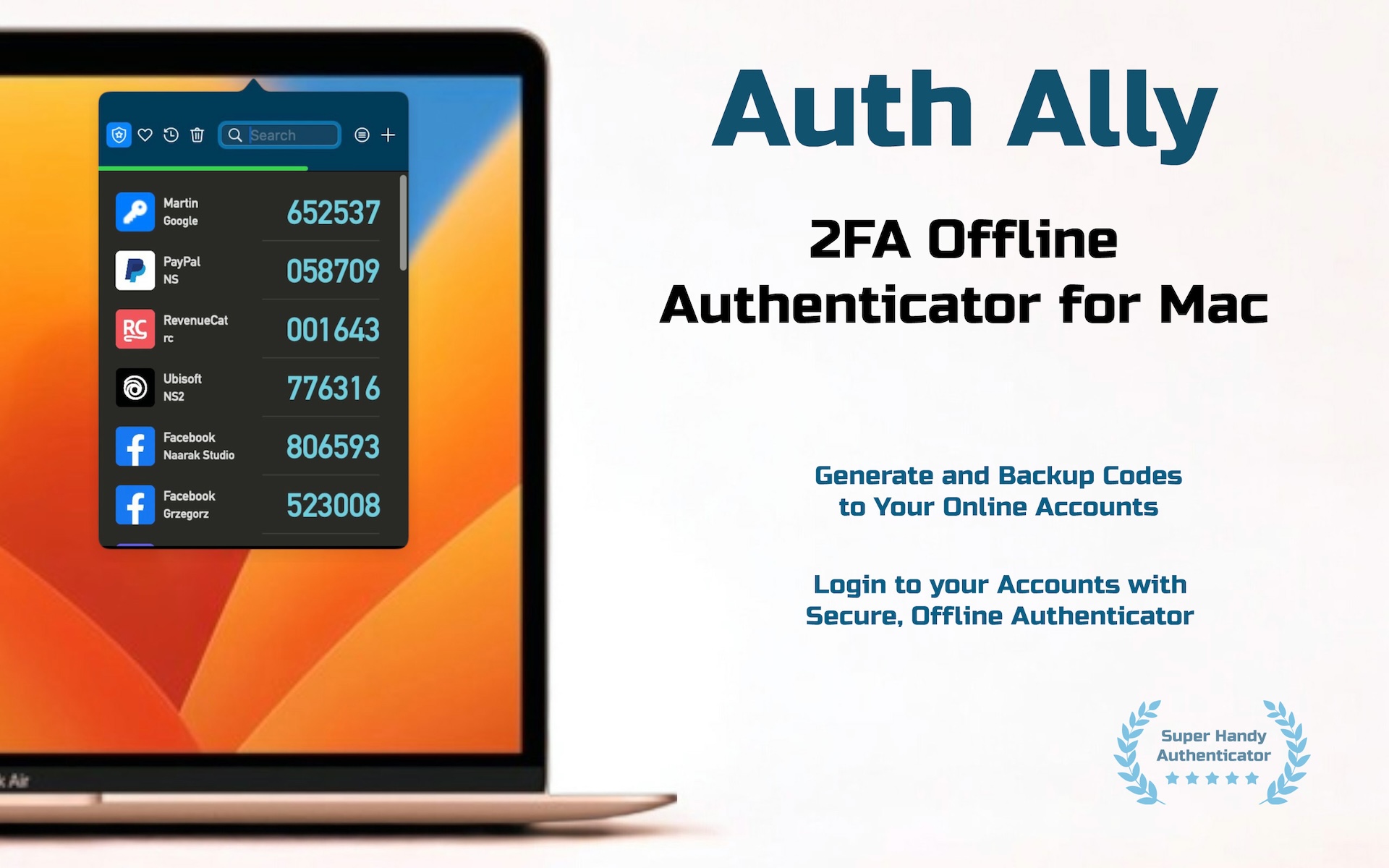
Auth Ally is a 2FA (Two-Factor Authentication) OTP (One-Time Password) generator - a tool that creates temporary, time-sensitive codes used for most online accounts.
Auth Ally resides in your system's menubar, always ready to generate 2FA passwords for secure login to your banking, social media, or any online accounts. best 2FA OTP Authenticator Fully compatible with macOS Tahoe and Apple M chips
Data security first
- Offline Generation: Auth Ally generates passwords offline, ensuring your secret codes remain safe and stored locally on your device.
- Maximum Privacy: Your data is never sent to the internet, guaranteeing maximum privacy and security.
Always at hand
- Quick Access: The Auth Ally icon appears in your Mac menu bar and is always handy when you need to quickly grab an authorization code.
- Clipboard Ready: Just click on your account and the authorization code will be copied to the clipboard, ready to paste into your browser.
Back up your accounts
- Encrypted Copy: Create an encrypted copy of your accounts to quickly and securely transfer them to another computer.
- Data Recovery: Keep the backup on another drive so you can restore your accounts in the event of a drive failure.
Sync with iCloud
- Seamless Sync: Sync with iCloud allows you to seamlessly store and synchronize your encrypted accounts across all your Mac ensuring security and accessibility.
- Automatic Backup: Enabling Sync with iCloud ensures your information is always backed up and available wherever you need it, without manual transfers or storage concerns.
Master Password
- Primary Security Key: A Master Password is a single, highly secure password that protects access to Auth Ally and all its sensitive data.
- Authorized Access: It acts as the primary authentication key, ensuring that only authorized users can unlock and use the app.
Sort accounts
- Custom Arrangement: Sort your accounts as you wish.
- Adjustable Layout: Resize the Auth Ally window to fit your number of accounts.
Mark your favorite accounts
- Account Groups: Auth Ally displays accounts in 4 groups - All, Favorites, Recents, and Trash.
- Quick Access: Mark your most used accounts as Favorites for instant access. Use Trash to recover previously deleted accounts.