9to5mac

Your Cart

0 items

Your cart is empty

Add items to get started

Offer Expired

CursorClip: Screen Recorder App — Deal No Longer Available

This special offer has ended. Get notified when similar deals become available.

★Active Deals You Might Like

View All Deals
SPECIAL OFFER
KeyKeeper - License Manager

KeyKeeper - License Manager

KeyKeeper is the sleek, secure, and user-friendly Software L...

From
$19.99

SPECIAL OFFER
AppVault

AppVault

Draft description

From
$21.99
HOT DEAL • 50% OFF
Accountit

Accountit

Accountit is a simple, but powerful daily transactions track...

From
$9.99$19.99
SAVE $10.00
HOT DEAL • 90% OFF
SwifDoo PDF for MAC

SwifDoo PDF for MAC

Fast and easy to use PDF editor. You can view, edit, convert...

From
$12.90$129.00
SAVE $116.10
SPECIAL OFFER
Mountain Duck 5

Mountain Duck 5

Cyberduck for mounting volumes in the file explorer.

From
$40.00$49.00
SAVE $9.00
Mac App StoreVideo & Audio
CursorClip: Screen Recorder App

CursorClip: Screen Recorder App

byCursorClip
•Version 1.0.13
$41.30$59.0030% OFFDeal Ended

This deal is no longer available.

Browse Active Deals
CursorClip: Screen Recorder App Screenshot 1
Regular
$59.00
Price
$41.30
30% OFF
by
CursorClip
v
1.0.13
Category
Video and Audio
CursorClip: Screen Recorder App

CursorClip: Screen Recorder App

Version 1.0.13

Video & Audio
$41.30$59.0030% OFFEnded

This deal is no longer available.

Browse Active Deals

Developer

CursorClip
  • Share

TL;DR

  • Auto-zoom & pan on cursor
  • Lightweight & launches <2s
  • Fully offline & private
  • One-time purchase, lifetime updates
  • High-quality video output up to 4K
  • Perfect for demos, tutorials, & walkthroughs
  • macOS 12+, Apple Silicon & Intel

Screen recording with the built-in screen recorder for Mac is fine. But what if you want to edit these videos, add audio to them and use them for a professional purpose? So, DealFuel brings to you –

CursorClip – Screen Recorder App For Mac

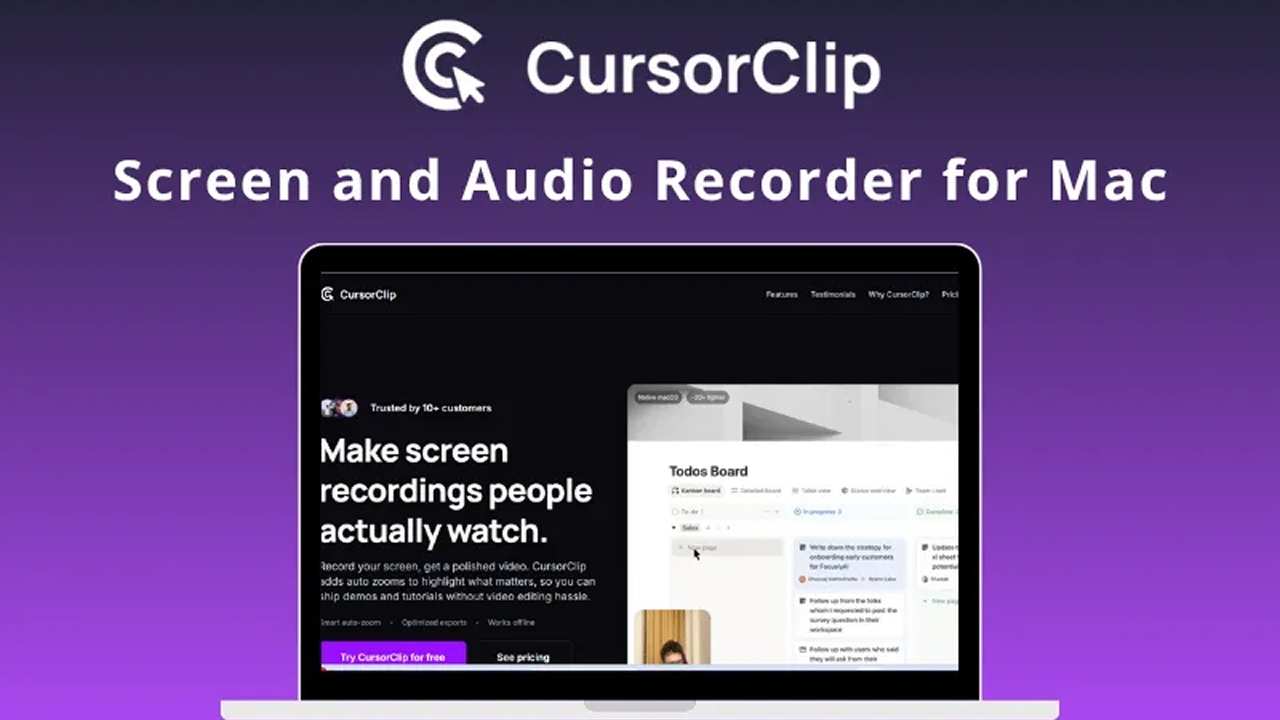
CursorClip is a native macOS screen recorder that allows you to record, edit, zoom, and add custom backgrounds to your screen recording to create professional-quality videos in no time.

It is a smart, light and easy-to-use tool designed to help you create professional-quality demos & tutorials that look cinematic, without editing.

This tool is a ~18MB native app that launches in under 2 seconds and uses minimal resources, so your Mac stays snappy.

Includes a simple yet powerful video editor to control zoom effects, remove or add zoom points, & fine-tune recordings effortlessly.

CursorClip is a powerful alternative to traditional screen recording tools, including Screen Studio, ScreenCharm, Camtasia and more.

What You Can Do

1 use case for CursorClip: Screen Recorder App

Screen Recording

Frequently Asked Questions

Common questions about this deal

01What's included with CursorClip: Screen Recorder App on BundleHunt?

CursorClip: Screen Recorder App on BundleHunt includes a license key and instant download access. The license is obtained directly from the developer and activates the latest version of the software.

02How do I get my CursorClip: Screen Recorder App license key?

After purchasing CursorClip: Screen Recorder App through BundleHunt, your license key and download link will be available immediately in your account under "Downloads & Licenses". You can access them anytime.

03What version of CursorClip: Screen Recorder App will I receive?

You will receive the developer's most up-to-date version of CursorClip: Screen Recorder App, fully activated and ready for immediate use.


9to5mac.keykeeper.app

Premium Mac software at prices you'll love. Curated deals, exclusive deals, instant delivery.

powered byBundleHunt

Explore

  • Best Deals
  • Mac App Store
  • Contact Support

Why Us

Secure Checkout

256-bit SSL

Licensed Software

Official keys

Instant Delivery

Download now

Expert Support

Real humans

© 2026 9to5mac.keykeeper.app
PrivacyTermsContact