Your Cart
0 items
Your cart is empty
Add items to get started

Version 6.0
Official license · Direct from developer
Developer
Nektony
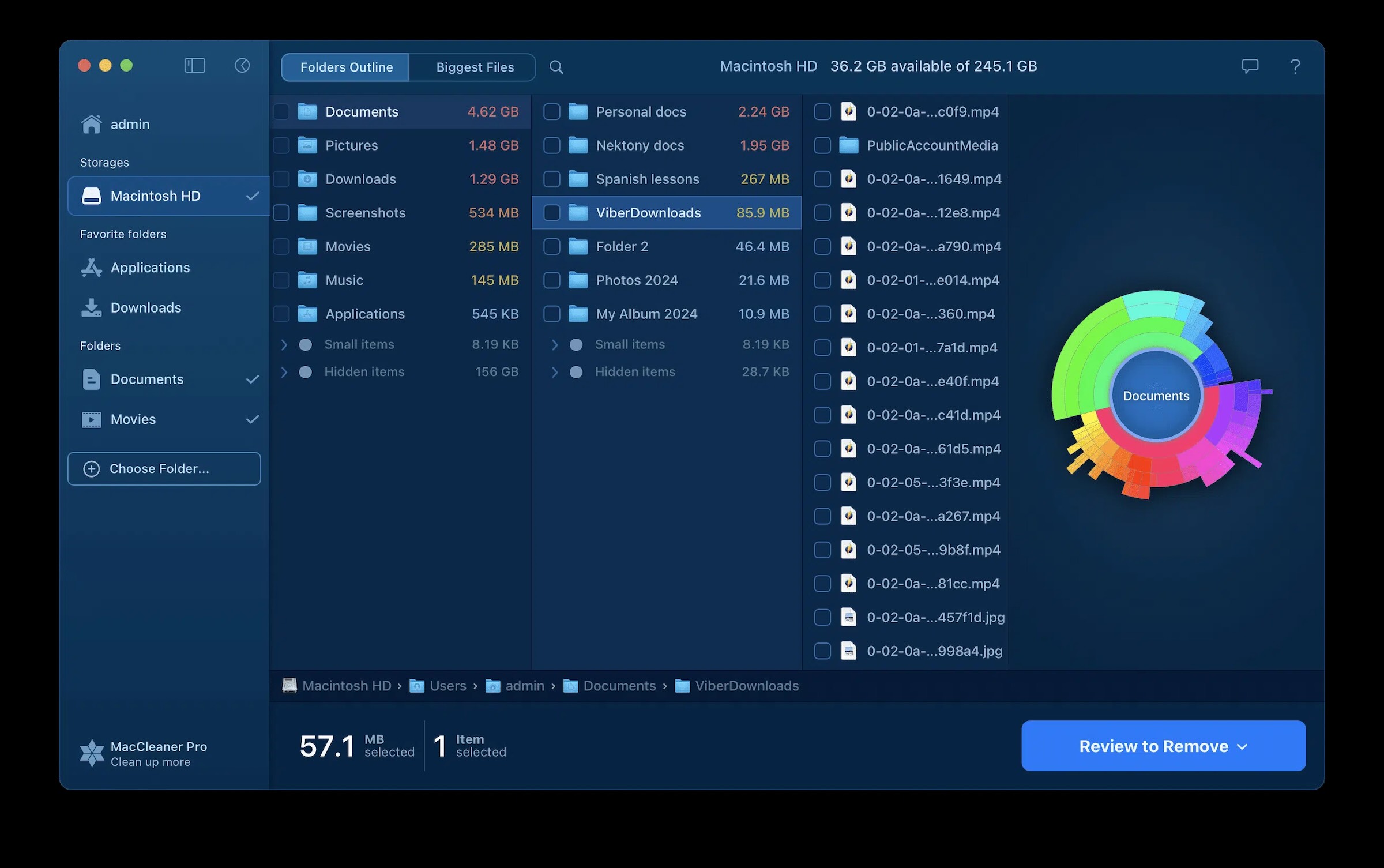
Disk Space Analyzer is an application that scans your entire hard drive (including external and network drives) and presents a clear, interactive map of how your storage is being used.
Using an intelligent sunburst diagram, it provides a visual overview of your disk’s structure, showing exactly which folders and files take up the most space.
The sunburst diagram offers a clear, layered view of your disk, where each ring and sector represents the size of folders and files. This visual approach makes it easy to identify the largest space consumers instantly.
Perfect for anyone who wants to keep their Mac clean and organized.
With a single click, access a comprehensive list of the biggest files on your Mac. These might include videos, archives, backups, or forgotten installers that take up excessive space.
Disk Space Analyzer allows you to preview files before deletion, minimizing the risk of accidentally removing important data. File management is simple and straightforward, letting you delete unnecessary files or move them to another folder or external drive.
The app identifies hidden system files, enabling better-informed what’s taking up space on your disk.
Disk Space Analyzer doesn’t limit you to your Mac's hard drive; it can also scan external drives and network-attached storage, making it perfect for managing data spread across multiple devices.
You can either permanently delete unwanted files or move them to other locations, such as external drives or different folders, offering an additional layer of safety and flexibility.
If you want a fast, effective way to free up space on your Mac, remove unwanted or forgotten files, and keep your system organized without risking important data, Disk Space Analyzer from Nektony is the perfect tool.
A user-friendly, powerful solution designed to help you maintain order and efficiency on your Mac.
2 use cases for Disk Space Analyzer
Common questions about this deal
Disk Space Analyzer on BundleHunt includes a license key and instant download access. The license is obtained directly from the developer and activates the latest version of the software.
After purchasing Disk Space Analyzer through BundleHunt, your license key and download link will be available immediately in your account under "Downloads & Licenses". You can access them anytime.
You will receive the developer's most up-to-date version of Disk Space Analyzer, fully activated and ready for immediate use.