Experience seamless screen recording like never before with SurFlex Screen Recorder.
With SurFlex, you can effortlessly capture high-quality video and audio from your screen, app, window, webcam, and microphone, all without the hassle of watermarks.
Nifty Screen Recorder: Do More Than Record Screen
As a comprehensive screen recorder, SurFlex Screen Recorder enables you to capture everything you need, including your screen, webcam, system audio, and microphone – without missing a beat from any of your audio or video sources.
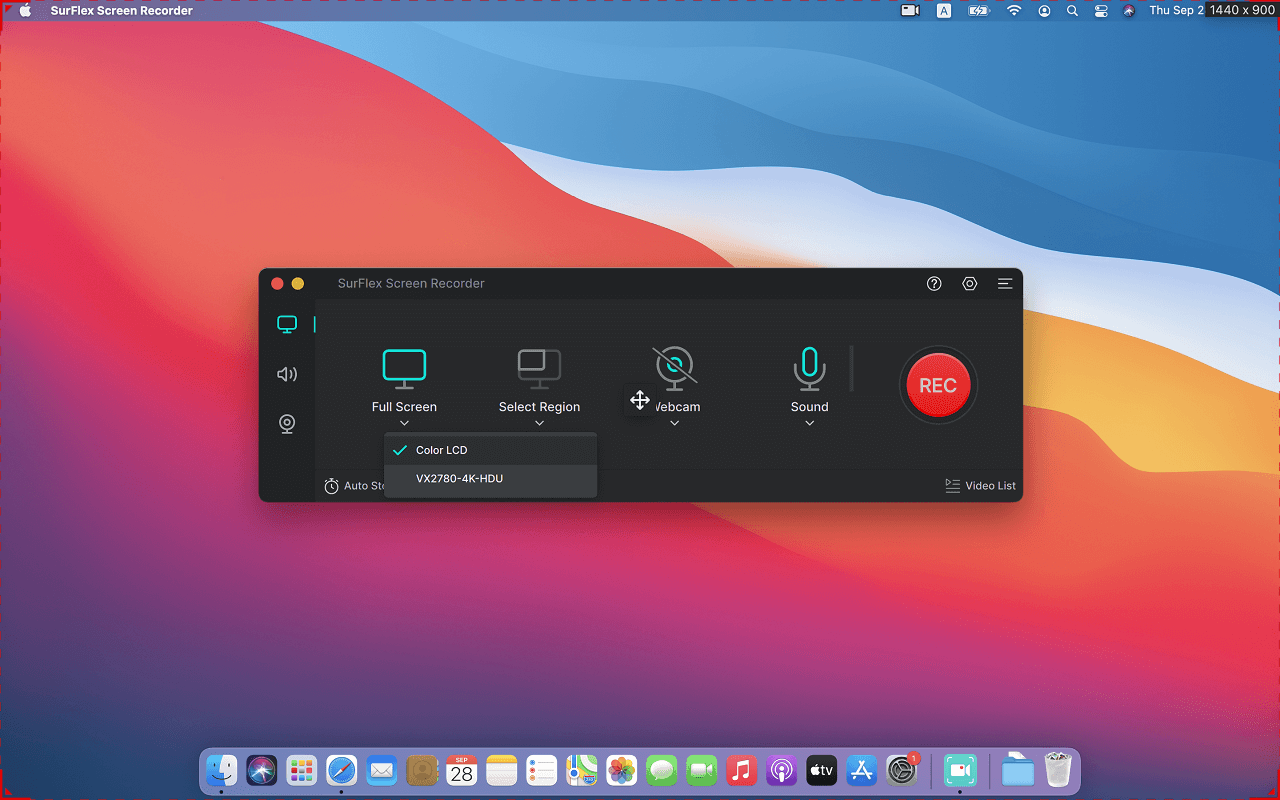
This screen recording software provides various recording modes, allowing you to capture the full screen, a selected portion of the screen, an app window, or even a game on your Windows or Mac. In other words, it ensures that you don’t miss any part of the screen you wish to capture.
Whether you are going to record webcam only or record webcam and screen on your computer, this free screen recorder will do you a favor. When you want to record a video of yoursellf on laptop or desktop, you can use this feature to achieve your goal.
Whenever you need to record computer audio, including all audio from any of your computer’s programs, such as the audio from your system, a browser, an app, or a game, this screen recorder app will get your needs met perfectly.
It’s no doubt that this computer screen recorder also works to record external sound from your computer, making it easy for you to record external sound, internal sound, or both without strain. When you need to record screen with audio on Windows or Mac, don’t hesitate to give it a try.
All-purpose Screen Recorder: Suitable for Various Scenarios
This versatile screen recording tool is suitable for various recording scenarios, making it easy for you to perform screen recording, presentation recording, Zoom recording, and more.
- Record Meeting: Record Zooming meeting, record Google meeting, record Teams meeting…
- Record Gameplay: Record Minecraft, record WOW, record LOL…
- Record Streaming Video: Record streaming video from YouTube, TikTok, Instagram, and more
- Record Websites: Record YouTube, record Netflix, and so on.
- Record Tutorials: Record presentations, record training videos, record lectures…
Enhanced Screen Recording Experience: More Advanced Features
Discover a more advanced screen recording experience with our software, which offers a range of enhanced features to help you capture and edit your screen recordings with ease.
- Rich Video Output Formats
You can easily save your recordings in various resolutions and frame rates as MP4, WMV, AVI, MOV, FLV, and other formats.
- Various Audio Output Formats
You can record audio on both Windows and Mac and save it in different bitrate levels as an MP3, AAC, OGG, WMA, WAV, or FLAC file.
Whether you want to record from YouTube to MP3 or capture streaming audio in WAV, it will help.
- Convenient Screenshot Functionality
During the recording, you can take screenshots of your computer and easily save these images.
- Customizable Shortcut Settings
You can set screen recording-related shortcuts according to your preferences and easily record your screen on your PC or Mac without any hassle.
The feature allows you to save a separate audio file while recording the screen. This means that after completing the screen recording, you will have both the complete video file and a separate file containing only the audio.
Automatically stop the screen recording when the specified file size or recording time is reached, providing you with greater control over your recordings and helping to conserve storage space.