9to5mac

Your Cart

0 items

Your cart is empty

Add items to get started

9to5mac.keykeeper.app

Premium Mac software at prices you'll love. Curated deals, exclusive deals, instant delivery.

powered byBundleHunt

Explore

  • Best Deals
  • Mac App Store
  • Contact Support

Why Us

Secure Checkout

256-bit SSL

Licensed Software

Official keys

Instant Delivery

Download now

Expert Support

Real humans

© 2026 9to5mac.keykeeper.app
PrivacyTermsContact
Mac App StoreSystem Utilities
TextSniper

TextSniper

byMacEpic
•Version 1.11
$5.99$7.9925% OFF

Official license · Direct from developer

TextSniper Screenshot 1
Regular
$7.99
Price
$5.99
25% OFF
by
MacEpic
v
1.11
Category
Productivity
TextSniper

TextSniper

Version 1.11

System Utilities
$5.99$7.9925% OFF

Official license · Direct from developer

Developer

MacEpic
  • Share

TextSniper

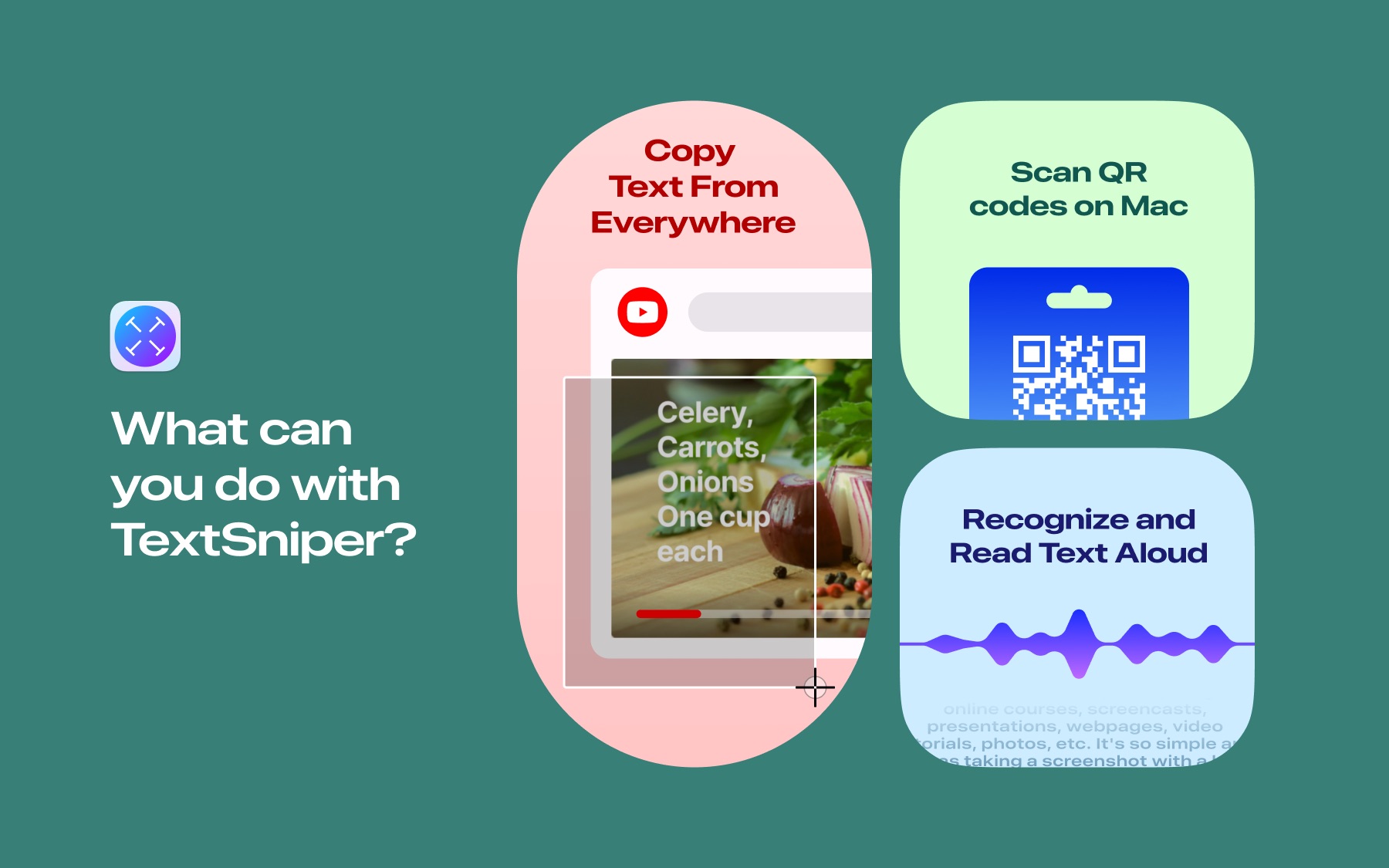
Is a lightning-fast OCR app that helps you copy the uncopyable text, wherever it may be: in photos, screenshots, PDFs,videos, online presentations, zoom calls, apps, or websites that annoyingly block copying. The speed, accuracy and ease of
use are just phenomenal.

Moreover, TextSniper can turn recognized text into speech on the fly. Scan QR codes, as well as barcode numbers. Connect to
the iPhone or iPad camera to capture text right to your Mac.

TextSniper is popular among students, teachers, writers, bloggers, marketing persons, office workers, etc. Any mac user with TextSniper can instantly copy and paste stuff like: documents, quotes, URLs, business cards, email addresses, phone numbers, invoices, serial numbers, tracking numbers, and more.

Whatever text you see on your screen in no time can be turned into editable text. Speed up your workflow and save valuable time with TextSniper!

How it works

The TextSniper app is extremely simple and easy to use. Just press Shift-Command-2, then select the area of the screen with the text you want to copy, and that's it! A friendly thumbs-up will indicate that the text is copied and ready for pasting.

Core features:

  • Extract text from anything you see on screen using Advanced OCR technology
  • Blazingly fast and accurate text recognitionText-to-speech.
  • Automatically turn recognized text into speech
  • Easily scan QR codes and barcodes
  • Simple and easy-to-use minimalistic interface
  • Customizable shortcuts
  • Privacy-focused. TextSniper doesn't collect any user data. All text recognition processed on your mac
  • Offline mode. No internet connection required
  • Multi-language support: English, German, French, Spanish, Portuguese, Italian, Chinese on macOS Big Sur (English only on Catalina)

TextSniper can recognize over 15 languages:

  • Under macOS Catalina: English only
  • Under macOS Big Sur/Monterey: English, Spanish, French, German, Portuguese, Italian, Chinese Simplified, Chinese Traditional
  • Under macOS Ventura: All above + Japanese, Korean, Ukrainian and Russian
  • Under macOS Sonoma: All above + Cantonese Traditional and Simplified, Thai and Vietnamese
  • Under macOS Sequoia: All above + Arabic

Vertical text recognition:

  • TextSniper recognizes vertically oriented Chinese, Japanese, and Korean text (currently available running TextSniper's latest version on macOS Sonoma and macOS Sequoia).

Awards

  • Featured by Apple, MacRumors, 9to5Mac, TNW, MacLife and many more.
  • Average rating on MacAppStore: ★★★★★ 4.7
  • Featured app on the Mac App Store (2021, "TextSniper - Copy the Uncopyable")
  • Featured on the Mac App Store (2025, "Apps You Didn't Know You Needed" collection)
  • Featured on the Mac App Store (2025, MASTER YOUR MAC "Snap Screenshots Like a Pro" collection) 
  • Featured on the Mac App Store (2020, "Apps and games we love right now" collection)

What people say

TextSniper is a great Mac utility for converting graphics to text.

- Ben Lovejoy, 9to5Mac

Thankfully, I came across TextSniper - a Mac app that lets you extract text from non-selectable sources such as YouTube videos, PDFs, photos, or presentations.
- Ivan Mehta, The Next Web

One of the best apps out there. As a medical student, my time is extremely limited. I personally use this app to copy text from powerpoints, practice questions, etc., and it's unbelievable how much time l've saved using this app instead of typing everything out. I also don't get many apps from the appstore for my mac, but this is absolutely a must-have.
- customer on the MacAppStore

Huge time saver! I can't believe the number of cases where it makes sense to use this. Zoom calls where you can't cut from chat. A printed document you can capture in an iPhone photo and AirDrop to mac, live streaming presentations that show an unclickable weblink, the list is endless. Alongside Skitch from Evernote for great compressed shots, I find I instantly miss this utility on computers without it installed. Don't hesitate, try it, and watch it remove a solid part of your workday stress.
- customer on the MacAppStore

Related Apps

8 apps you might also like

KeyKeeper - License Manager

KeyKeeper - License Manager

$19.99$19.99
AppVault

AppVault

$21.99$21.99
Accountit

Accountit

$9.99$19.99
-50%
SwifDoo PDF for MAC

SwifDoo PDF for MAC

$12.90$129.00
-90%
Mountain Duck 5

Mountain Duck 5

$40.00$49.00
-18%
Doneit

Doneit

$9.99$19.99
-50%
PDF Squeezer

PDF Squeezer

$13.99$19.99
-30%
LudyLens

LudyLens

$1.78$8.90
-80%

What You Can Do

1 use case for TextSniper

OCR / Extract Text

Frequently Asked Questions

Common questions about this deal

01What's included with TextSniper on BundleHunt?

TextSniper on BundleHunt includes a license key and instant download access. The license is obtained directly from the developer and activates the latest version of the software.

02How do I get my TextSniper license key?

After purchasing TextSniper through BundleHunt, your license key and download link will be available immediately in your account under "Downloads & Licenses". You can access them anytime.

03What version of TextSniper will I receive?

You will receive the developer's most up-to-date version of TextSniper, fully activated and ready for immediate use.